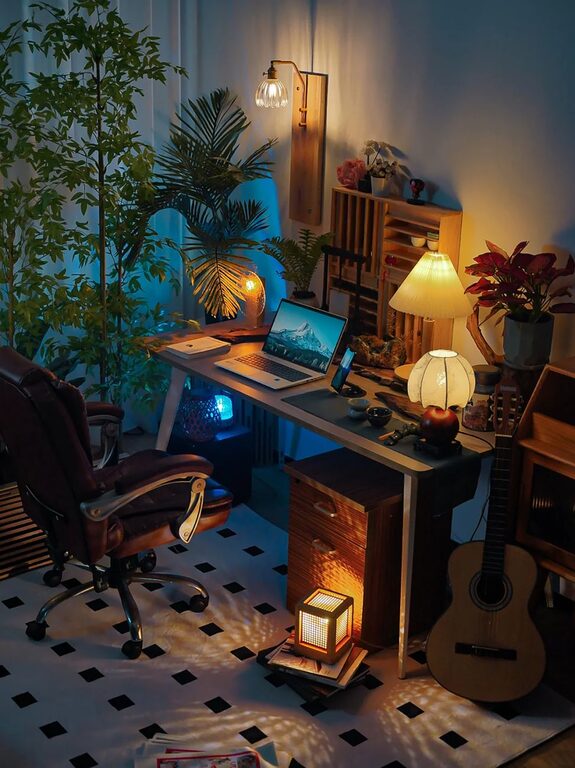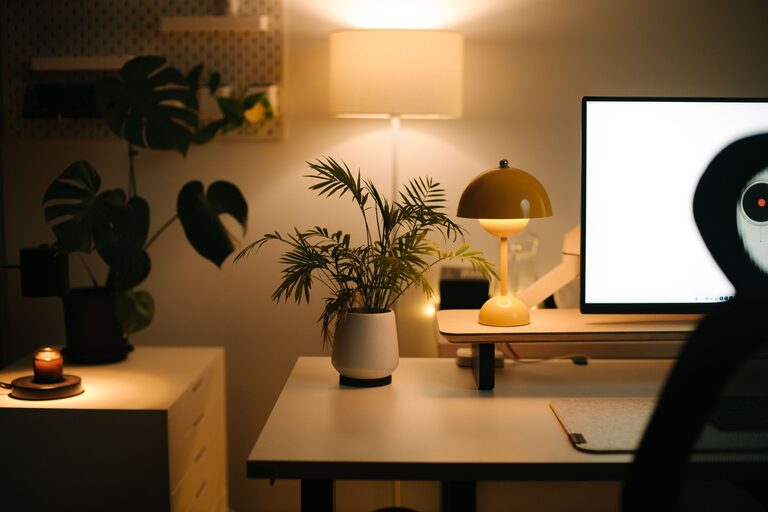
Creating a productive home office environment can make a significant difference in your work quality and overall well-being. Whether you work remotely full-time or occasionally need a dedicated space, setting up an efficient and comfortable workspace is essential. In this post, we’ll explore helpful tips to design a home office that supports focus, creativity, and productivity.
1. Choose the Right Space
The first step in creating a productive home office is selecting an appropriate space.
– Quiet Location: Look for a quiet area away from household noise or distractions.
– Natural Light: If possible, pick a spot near a window to take advantage of natural daylight. Natural light improves mood and focus.
– Space Considerations: Ensure the area offers enough room for your desk, chair, and essential equipment without feeling cramped.
If dedicated space is limited, consider a corner in a living room or bedroom and use room dividers or screens for some separation.
2. Invest in Comfortable and Ergonomic Furniture
Comfort impacts productivity more than most realize. When setting up your home office, prioritize ergonomics:
– Ergonomic Chair: Choose a chair that supports your lower back and allows your feet to rest flat on the floor.
– Adjustable Desk: If possible, use a desk with adjustable height or add a standing desk converter to alternate between sitting and standing.
– Monitor Placement: Position your computer monitor at eye level to prevent neck strain.
– Keyboard and Mouse: Select peripherals that allow a natural hand position.
Proper furniture reduces fatigue and discomfort, helping you focus longer.
3. Keep Your Workspace Organized
Clutter can be a major distraction. Organizing your workspace helps maintain concentration and efficiency.
– Declutter Regularly: Clear your desk at the end of each day to start fresh.
– Storage Solutions: Use shelves, filing cabinets, or drawer organizers to keep papers and supplies tidy.
– Cable Management: Use clips or cable organizers to keep wires out of sight and prevent tangling.
– Essential Items Only: Keep frequently used items within easy reach and store away anything unnecessary.
An organized workspace reduces stress and speeds up finding what you need.
4. Optimize Lighting
Good lighting is key to reducing eye strain and maintaining energy.
– Natural Light First: Open blinds or curtains to maximize daylight.
– Task Lighting: Add a desk lamp with adjustable brightness for focused work.
– Avoid Glare: Position screens perpendicular to windows and adjust blinds as needed.
– Ambient Lighting: Use soft overhead lights to complement task lighting and maintain overall illumination.
Proper lighting keeps your eyes comfortable and supports alertness.
5. Minimize Distractions
A productive workspace minimizes interruptions and distractions.
– Set Boundaries: If you share your home, communicate your work hours and the importance of undisturbed time.
– Turn Off Notifications: Use “Do Not Disturb” mode on devices during focused work periods.
– Create a Dedicated Work Zone: Avoid mixing work and leisure spaces to mentally separate activities.
– Use Noise-Canceling Headphones: These can help block household noises and improve concentration.
Minimizing distractions helps you stay in a “flow” state for better productivity.
6. Personalize Your Space
Adding personal touches can make your workspace inviting and inspire creativity.
– Plants: Indoor plants add freshness and improve air quality.
– Artwork or Photos: Display images that motivate or uplift you.
– Decor: Choose colors and items that make you feel calm and focused.
– Comfort Items: A cozy blanket or supportive cushions can make long hours more pleasant.
A personalized office feels inviting and helps sustain motivation.
7. Establish a Daily Routine
Your environment sets the stage, but habits keep you productive.
– Regular Hours: Try to start and end work at consistent times.
– Breaks: Take short breaks every hour to stretch or walk around.
– End-of-Day Ritual: Clear your workspace and plan tasks for tomorrow to separate work from personal time.
A routine trains your brain to switch into work mode and maintain balance.
8. Incorporate Technology Wisely
Use technology to enhance productivity without becoming overwhelmed.
– Reliable Internet: A strong connection prevents frustration during virtual meetings or uploads.
– Noise Apps: Ambient sound or white noise apps can improve focus.
– Task Management Tools: Organize to-do lists and deadlines digitally.
– Backup Solutions: Regularly back up work to avoid data loss.
Choose tools that simplify tasks and support your workflow.
—
By carefully designing your home office environment with these tips, you can boost productivity and enjoy a more comfortable, efficient workday. Remember, the ideal workspace is one that fits your personal needs and helps you stay focused and motivated. Take time to experiment and adjust until you find the perfect setup for you. Happy working from home!
About the Author